 ContestLog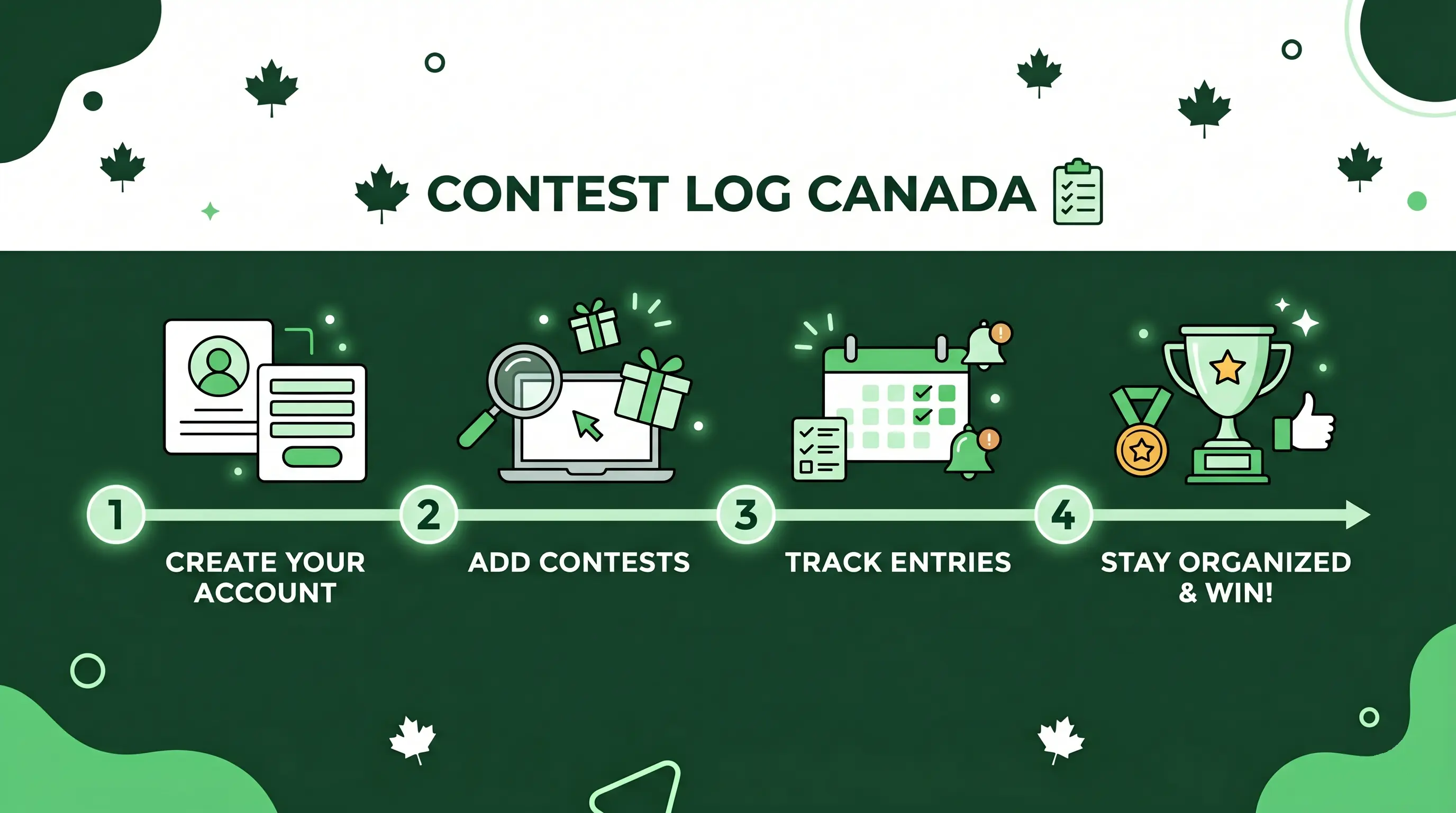
I built ContestLog to solve a problem I had after years of entering giveaways: finding contests was only half the work. I also needed a simple way to remember which ones I wanted to enter, which daily entries I had completed, and when I could enter again.
ContestLog combines a searchable directory of Canadian contests with a personal checklist. This guide explains how to use the current interface from the first search through your daily entry routine.
1. Find contests you are eligible to enter
Start on the Explore Contests page. Each contest card summarizes the prize, entry frequency, platform, eligible location, and time remaining.
Use Details when you want to review the ContestLog listing before leaving the site. It can help you confirm the eligible provinces or city, entry frequency, closing date, prize information, and other important notes. The sponsor's official rules always control, so read them before entering.
The directory provides several ways to narrow the list:
- Keyword search: Search for a prize, sponsor, city, or event.
- Province: Show contests open where you live.
- City: Focus on geographically restricted opportunities near you.
- Frequency: Choose daily, weekly, or single-entry contests.
- Platform: Limit results to web, Facebook, Instagram, X, or TikTok.
- Exclude Mail NPE: Hide contests whose no-purchase entry method requires mail.
- Hide Saved Contests: Remove contests already in your tracker from the results.
- Sort: View newly added contests, those ending soonest, or the most local results when that option is available.
Filtering by location is especially useful because there is no benefit to spending time on a promotion you cannot enter. It also makes it easier to prioritize geographically restricted opportunities. I explain why I do that in Why I Prioritize Local Contests After 16 Years of Contesting.
2. Save contests you want to enter
Press the Save button on a contest card to add it to your tracker. The button changes to Saved, and saved cards are visually highlighted so you can recognize them while browsing.
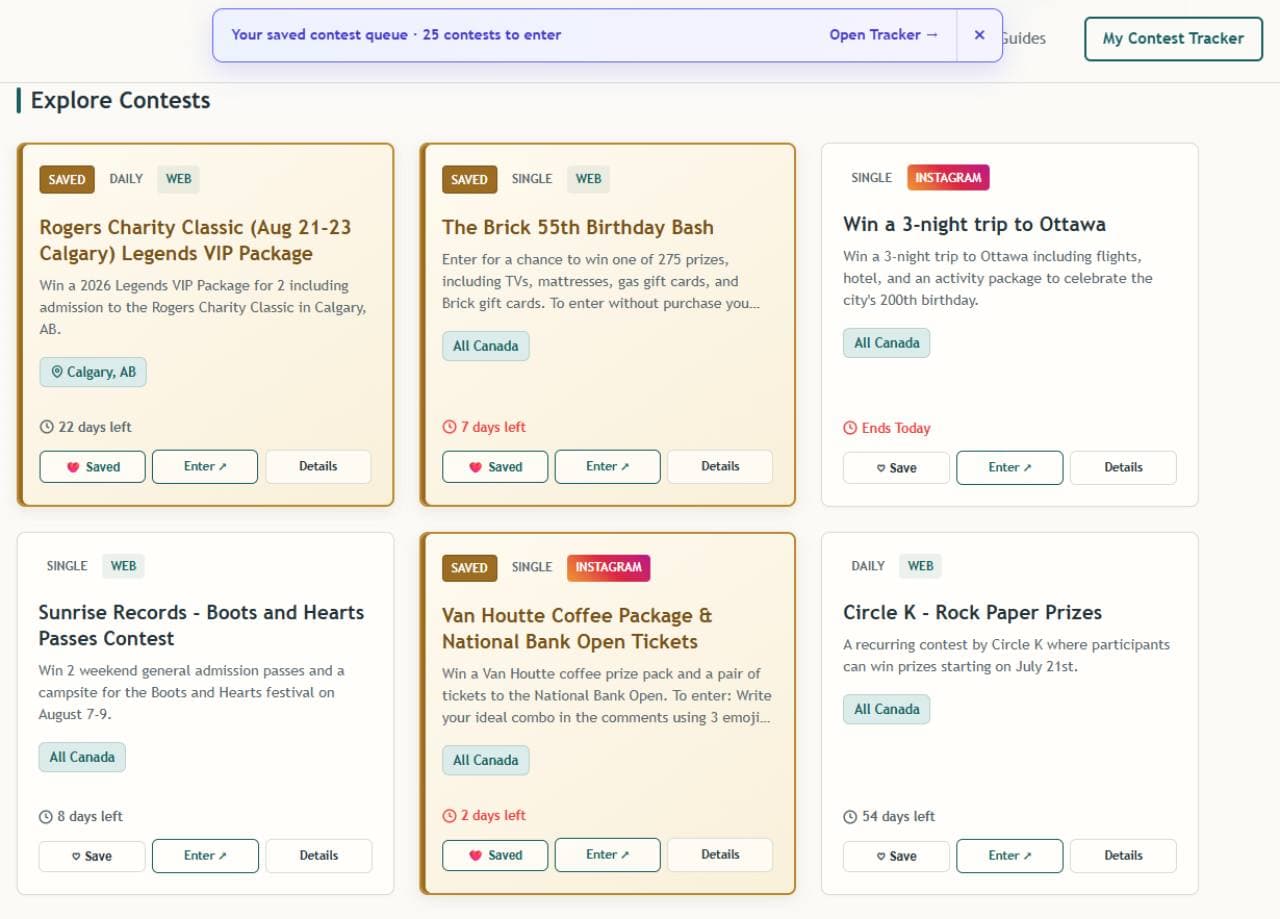 ContestLog directory showing saved contests and the saved contest queue
When you have saved contests, the directory displays a saved contest queue near the top of the page. It shows how many eligible contests are waiting and links directly to your tracker.
Saving is useful when:
- You find a contest but do not have time to enter immediately.
- The promotion permits daily or weekly entries.
- You want to compare several contests before leaving ContestLog.
- You need a reminder before an approaching deadline.
- You want to avoid losing a contest among dozens of open tabs or bookmarks.
You can save contests without creating an account, and they remain associated with that browser. Creating an account lets ContestLog sync your tracker across devices, which is helpful if you enter on both a phone and computer.
3. Work through your Contest Tracker
Open My Contest Tracker to see your saved contests as a checklist. The tracker displays useful information for each item, including:
- Entry frequency
- Total entries you have recorded
- Contest closing date
- The last time you entered
- Whether the current entry period is complete
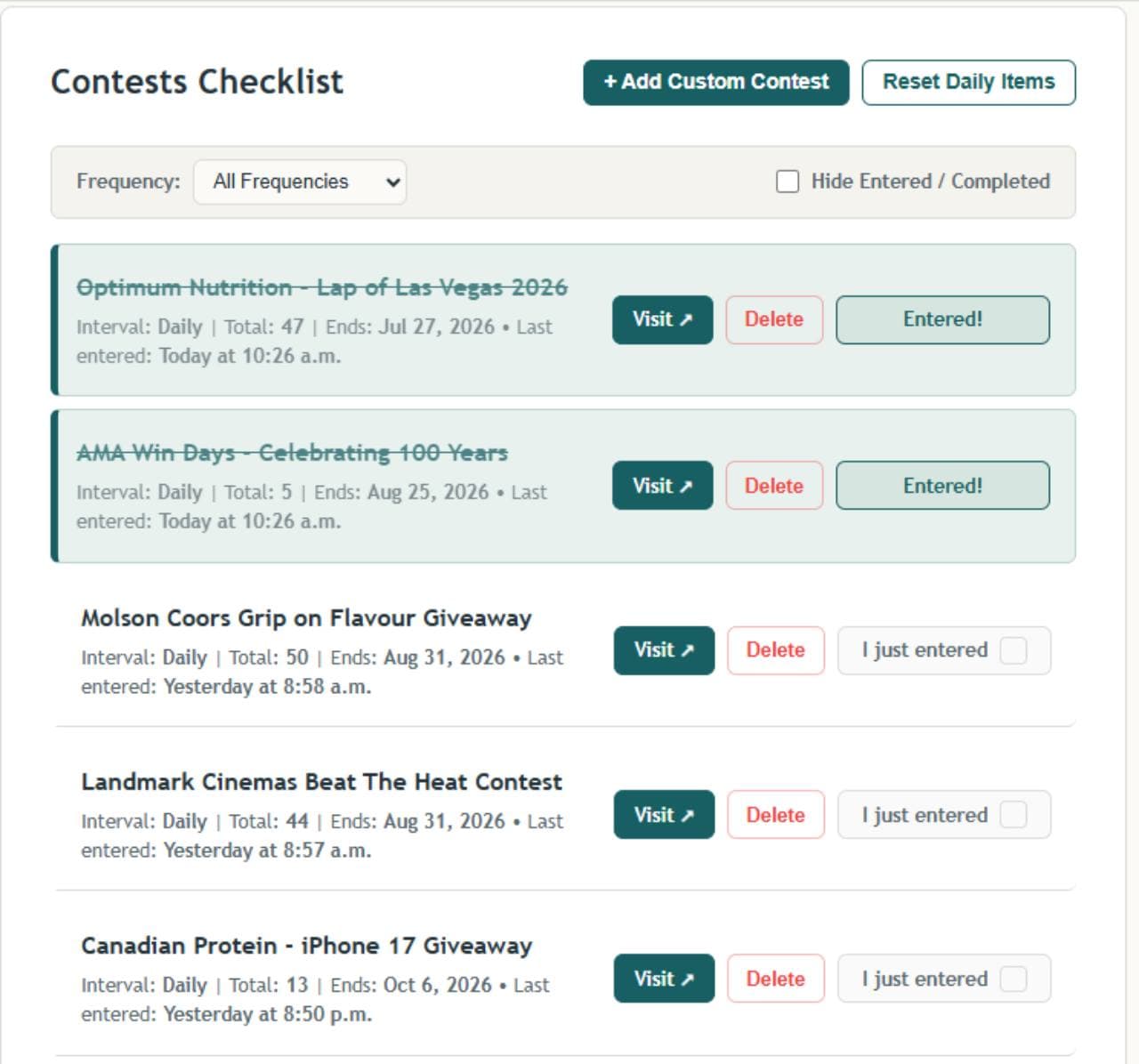 ContestLog tracker with entered contests crossed out and remaining daily entries below
The checklist is designed to make your next action obvious. Unfinished contests remain prominent. After an entry is recorded, the contest title is crossed out and the row changes appearance, giving you a quick visual record of what you have already completed.
4. Record an entry automatically or manually
There are two ways to mark a tracker item complete.
Use Visit
Press Visit to open the contest. ContestLog records the visit as an entry and crosses the item off for its current entry period.
This is the fastest workflow when you are entering directly from your tracker. Remember that ContestLog cannot see whether you finished every step on the sponsor's website. Only use the completed state as confirmation after you actually submit the sponsor's entry form.
Use I just entered
If you entered through another tab, a sponsor's app, an email, or another device, return to the tracker and press I just entered. This records the entry without requiring you to open the sponsor's page again.
The completed button changes to Entered!, and the total and last-entered information are updated.
5. Understand daily, weekly, and single-entry items
ContestLog uses the listing's frequency to decide when an item needs attention again.
- Daily: Complete it once during each permitted daily period.
- Weekly: Complete it once during each permitted weekly period.
- Single entry: Enter once, then leave it completed.
Use the Frequency menu on the tracker to focus on one type at a time. The Hide Entered / Completed option removes crossed-off items from view, leaving only the contests that still need attention.
The Reset Daily Items control is available when you need to refresh the daily checklist manually. Contest rules may define entry periods using a particular time zone, so the sponsor's rules remain the authority on when another entry is permitted.
Do not use the tracker to exceed an entry limit. If the rules allow one entry per person or household, submitting another entry through a different email address does not necessarily make it eligible.
6. Add contests found somewhere else
ContestLog aims to maintain a comprehensive Canadian directory, but you may still discover a giveaway through a local business, social account, newsletter, or other source before it appears in the public listings.
Press Add Custom Contest in the tracker and enter its details. This lets you manage outside contests beside those saved from ContestLog instead of maintaining a separate spreadsheet or browser-bookmark folder.
Include a clear title, the entry link, frequency, and closing date when you know them. Accurate details make the custom entry more useful when you return later.
7. Build a routine you can maintain
The tracker is most useful when it supports a realistic routine rather than turning contesting into a chore.
My overall contesting strategy is simple: enter everything that interests you, enter as often as the rules permit, and pay particular attention to local contests. ContestLog helps turn that strategy into a manageable process:
- Open the tracker and filter to daily contests.
- Work through the unfinished entries.
- Check weekly contests on the same day each week.
- Browse newly added or soon-to-expire listings.
- Save worthwhile contests instead of trying to enter everything immediately.
- Remove saved contests you no longer want or cannot enter.
You do not have to clear an enormous list every day. Prioritize prizes you genuinely want, contests limited to your area, and repeat-entry promotions where consistency gives you more eligible entries.
8. Use ContestLog as an organizer—not as a replacement for the rules
ContestLog helps you discover and organize promotions, but each sponsor controls its own contest. Before entering, verify:
- Geographic and age eligibility
- Opening and closing dates, including the time zone
- Per-person or per-household entry limits
- Whether the prize has pickup, travel, or attendance requirements
- How a potential winner will be contacted
- Any no-purchase entry instructions
Listings can change, and sponsors may amend or cancel a promotion. When ContestLog and the current official rules differ, follow the official rules.
Start organizing your entries
Browse the active Canadian contest directory, press Save on the opportunities you want, and work through them from your Contest Tracker.
For more strategy, read my practical guide to winning contests in Canada, my local-contest strategy, and my guide to how instant-win contests work.